Cinderella Papers, Floral Patterns: Seamless Digital Papers for Real Creative Workflows
When you’re designing a wedding invitation suite, building a branded planner system, or developing a cohesive product packaging line, consistency and quality aren’t optional — they’re foundational. That’s where Cinderella Papers, Floral Patterns enters the workflow: not as a decorative afterthought, but as a production-ready asset that supports precision, scalability, and visual harmony from day one.
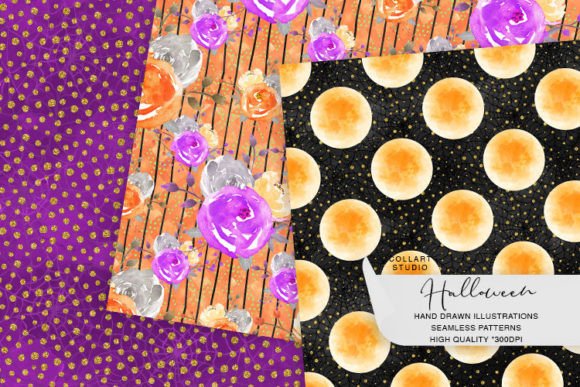
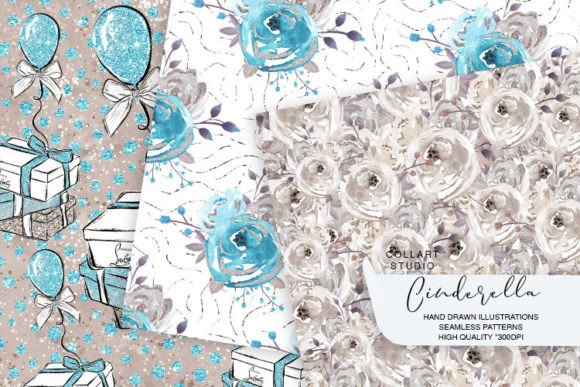
These are three original, hand-painted digital papers — created by the Collart Studio team — delivered as instant-download PNG files. Each is 12×12 inches at 300 dpi, fully seamless, and designed to tile without visible breaks. That means you can repeat the pattern horizontally and vertically to fill any canvas size, whether you’re printing a 24×36-inch poster or scaling down to a 2×2-inch sticker sheet.
How They Fit Into Your Existing Process
Digital papers like Cinderella Papers, Floral Patterns don’t replace tools — they enhance them. You’ll use them inside software you already rely on: Adobe Photoshop or Illustrator for print production, Canva for social graphics or email headers, Procreate for hand-lettered journal covers, or even Figma when building UI kits with textured backgrounds. Their high-resolution, seamless nature means no extra time spent stitching edges, adjusting repeats, or compromising on fidelity when scaling.
For planners and productivity creators, these papers serve as base layers for weekly spreads, habit trackers, or monthly overviews. Because they’re seamless, you can generate a custom 8.5×11-inch printable in seconds — no cropping, no distortion, no trial-and-error alignment. For fabric designers or stationery brands, the same file works equally well for mockups in Spoonflower or as a repeat swatch in textile design software.
Before the Project: Preparation That Saves Time Later
Before opening your design app, consider how the floral motif will support — not compete with — your content hierarchy. The three designs in Cinderella Papers, Floral Patterns vary in density and contrast: one features delicate vines with open negative space, another uses bolder blossoms with tighter spacing, and the third balances soft watercolor washes with defined botanical outlines. Choose based on legibility needs: lighter patterns suit text-heavy layouts; higher-contrast versions hold up better behind die-cut elements or foil-stamped overlays.
Organize your downloads immediately. Save each paper with a clear, descriptive filename — e.g., cinderella-floral-vine-light.png — and store them in a dedicated “Textures & Papers” folder within your brand assets library. This avoids version confusion later and makes them instantly retrievable during tight deadlines. If you work across devices, sync this folder via Dropbox or Google Drive — just ensure filenames remain consistent to avoid broken links in layered PSDs or InDesign templates.
During Execution: Practical Integration Tips
When placing Cinderella Papers, Floral Patterns into a layout, avoid stretching or skewing the image. Instead, use native tiling functions: in Photoshop, apply Edit > Fill > Pattern with your chosen paper as a custom pattern. In Illustrator, drag the file into the Swatches panel and apply it as a pattern fill — it will auto-tile and scale proportionally. In Canva, upload once, then duplicate and align manually using grid guides (enable View > Show Guides) for clean, edge-to-edge coverage.
For planner stickers or cut files, place the paper behind your vector shape, then use clipping masks (Photoshop) or compound paths (Illustrator) to confine the pattern precisely within the sticker boundary. This preserves sharp edges while keeping the floral texture visually integrated — not pasted-on.
If you’re layering text over these papers, test readability at actual output size. A common oversight: assuming a beautiful floral background will read well at small font sizes. Use a semi-transparent white or black overlay (10–15% opacity) beneath body text if needed — it boosts contrast without muting the pattern’s character.
Compatibility and Output Considerations
All three papers are RGB PNGs — ideal for screen-based use and most home or commercial printers. If you’re sending files to a professional print vendor for invitations or packaging, confirm whether they require CMYK. While RGB-to-CMYK conversion is possible, subtle shifts in floral tones may occur; keep a printed proof on hand for color-critical projects.
These files are compatible with both Mac and Windows systems and open natively in Preview, Photos, and all major design applications. No special plugins, fonts, or licenses are required. There are no usage restrictions for personal or commercial projects — including client work, digital products, or physical goods — as long as you’re using the files as-is or modified (e.g., recolored, cropped, masked).
After Delivery: Building Long-Term Value
Once a project ships — whether it’s a set of printable planners or a boutique fabric collection — revisit how the papers performed. Did one pattern consistently outperform the others in engagement metrics? Was a specific floral motif more versatile across formats? Document those observations. Over time, this builds an internal reference for which textures resonate with your audience, helping you refine future palettes and reduce decision fatigue.
You can also extend utility by repurposing: convert one paper into a subtle watermark for digital downloads, extract individual blooms as standalone SVG elements for icon sets, or use the color palette (sampled via eyedropper) to unify typography, borders, and accent elements across a brand system. Because they’re hand-painted — not algorithm-generated — each has organic variation in stroke weight and pigment bleed, lending authenticity that stock patterns often lack.
Real Workflow Examples
- Freelance Graphic Designer: Uses the light vine pattern as a background for a client’s wellness blog header. Tiles it across a 1920×1080 canvas, adds a subtle Gaussian blur (2px), then overlays clean sans-serif type. Delivers layered PSD and flattened JPG — all in under 45 minutes.
- Educator Creating Printable Resources: Imports the watercolor floral paper into Canva, resizes to fit a standard letter page, then layers editable text boxes for student reflection prompts. Shares the template with colleagues via Canva Teams — no font licensing concerns, no resolution loss on download.
- Small-Batch Stationery Shop Owner: Applies the bold blossom pattern as a repeat in Adobe Illustrator, exports as a seamless tile for Spoonflower. Orders a fabric swatch first, confirms drape and color accuracy, then lists matching greeting cards and gift wrap — all using the same core asset.
What makes Cinderella Papers, Floral Patterns effective isn’t just aesthetics — it’s predictability. You know before opening the file that it will tile cleanly, print sharply, and integrate smoothly into your existing stack. That reliability reduces friction at every stage: planning, execution, revision, and delivery.
For creators who treat design as part of a larger operational rhythm — not isolated decoration — these papers function like calibrated tools. They don’t ask for special handling. They don’t demand learning curves. They simply do what they’re built to do: provide consistent, high-fidelity texture that supports clarity, cohesion, and craft.
Whether you’re iterating on a client proposal, prepping a batch of Etsy listings, or designing your own productivity toolkit, having three thoughtfully composed, production-ready floral patterns on hand means one less variable to manage — and one more element you can trust to perform.